 NokosazuDownload
Conversations deserve a record.
Consider it noted.
Fully in the conversation. Ideas fly. Keep the thread.
Put your iPhone down and tap Record: Nokosazu writes the conversation, tells the voices apart and prepares the summary.
No notes to catch up on
Download on the App Store ▸- iPhone · available
- iPad · coming soon
- Mac · coming soon
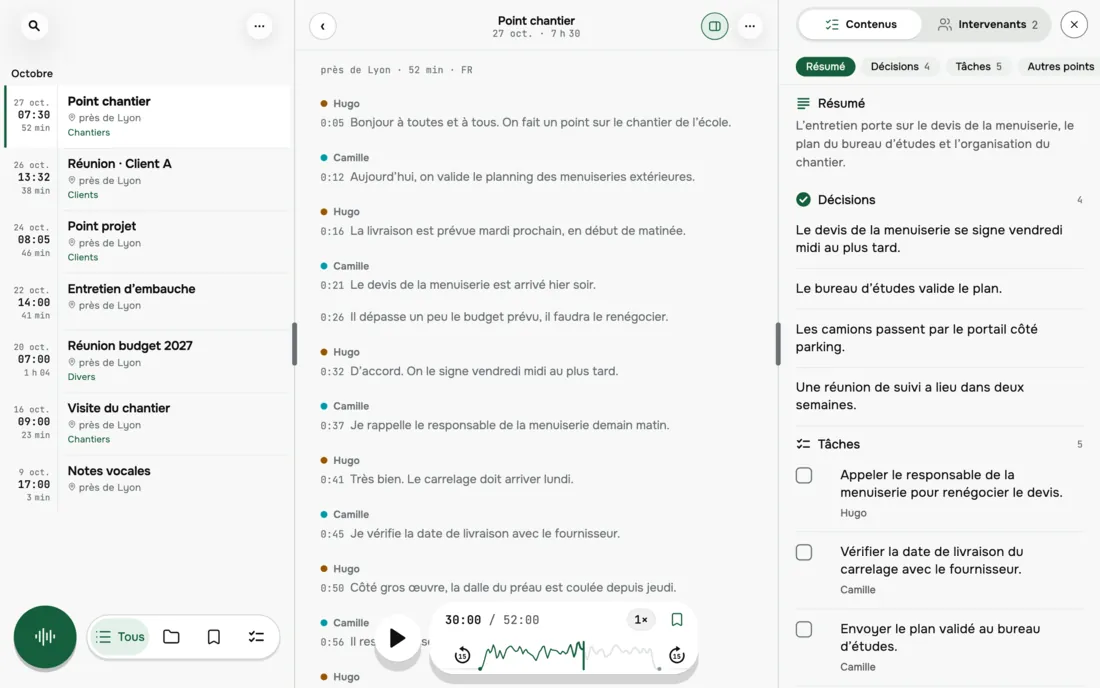
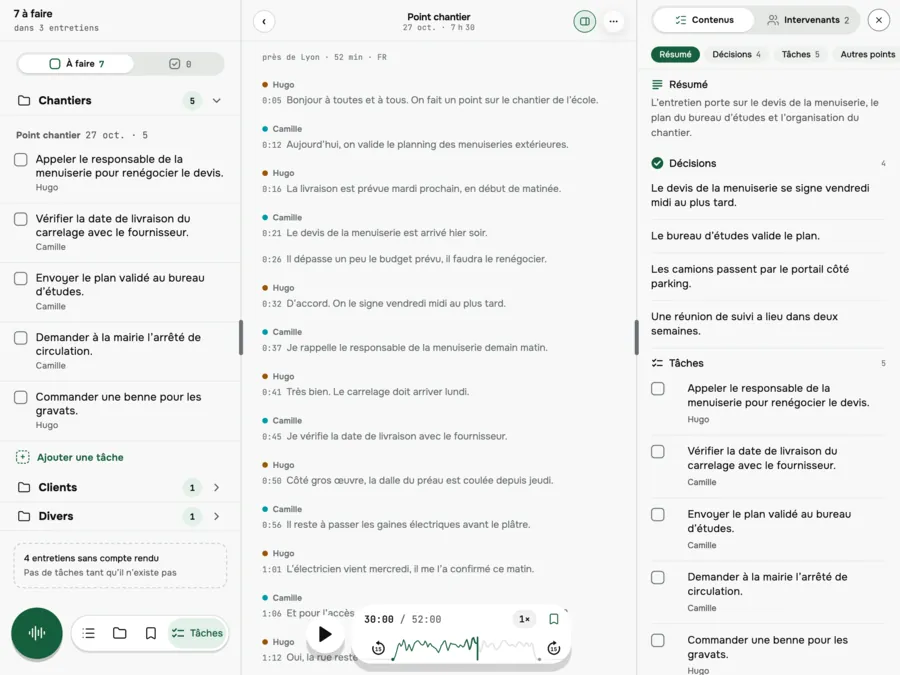
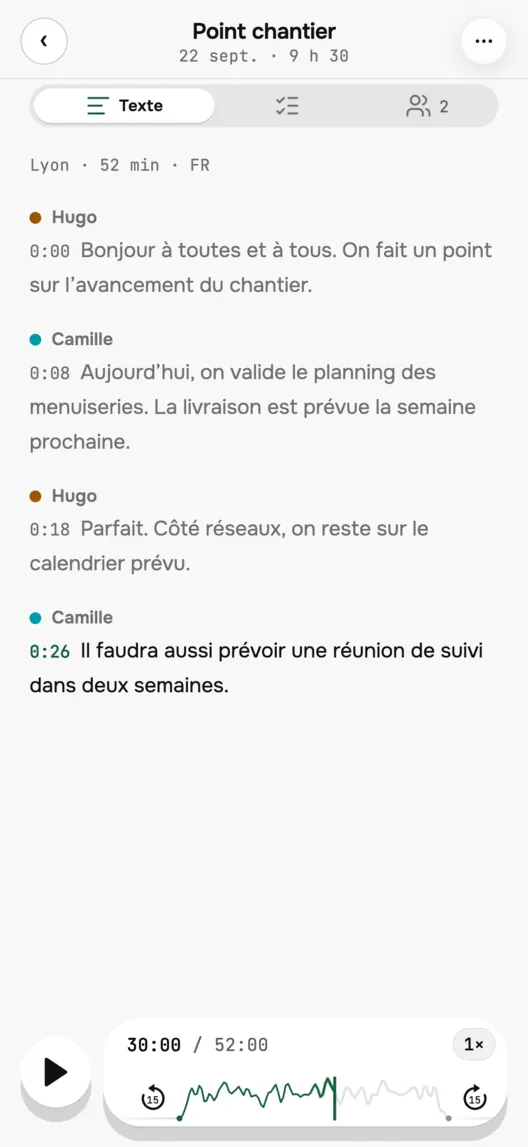
Hello everyone. Let's go over how the site work is coming along.
Today we sign off the joinery schedule. Delivery is planned for next week.

Decision
The engineering office approves the plan.
Task · Camille
Send the approved plan to the engineering office.
- AccountNo Nokosazu account
- WhereOn your device
- DevicesiPhone · iPad and Mac coming soon
01
Be in the conversation, not in your notes.
Put your iPhone on the table and tap Record. While you talk, the text is written live. At the end you get the transcript and a summary: the decisions, the open points and the tasks.
02
What the app does
During the conversation
The text is written live, even with the screen locked or in another app. It is waiting for you in the app.
Voices. First names.
Each voice is detected (Speaker 1, Speaker 2…); you give it a first name.
Decisions. Tasks.
The summary lists them, each task with the first name of the person in charge.
A word looks wrong?
Tap it to listen to the passage again.
03
Processing happens on your iPhone
Your recordings, their texts and your summaries stay on your device. We have no access to them. By default, nothing leaves it: only what you share or export yourself goes out. If you turn on iCloud backup in the settings, the recordings go into your iPhone's iCloud backup: Apple holds the key (unless Advanced Data Protection is on).
04
Made for people who really listen
Anyone who would rather listen
Put the device down, talk, find the text afterwards.
When attention drifts
Long meeting, tiredness, a wandering mind, ADHD: the text and the summary help you find what was said. Nokosazu is not a medical device.
Teams and staff
The summary of a meeting: decisions, open points, tasks.
Journalists, researchers and students
A two-hour interview, in full, with times and speakers, in a text where you can search for a word.
05
Start with 2 hours of transcription
No subscription needed to record, listen and export, with 2 hours of transcription included. After that: the annual plan with a 7-day trial, the monthly plan, or a one-time purchase.
Yearly
7-day trial
Monthly
No minimum term
One-time purchase
Pay once
06
Before you download
How do I transcribe a meeting without taking notes?
- Put your iPhone on the table and tap Record in Nokosazu. The text is written live while you talk; at the end, the full transcript and the summary (decisions, open points, tasks) are waiting for you in the app.
Do I need to create an account to use Nokosazu?
- No. There is no Nokosazu account to create: you record, listen and export without a subscription, with 2 hours of transcription included. Only the payment goes through your Apple account.
How do I find out who said what in a meeting?
- Nokosazu detects each voice (Speaker 1, Speaker 2…) and you give it a first name. The transcript keeps the times and the speakers: every line stays under the name of the person speaking.
How do I transcribe a two-hour interview on iPhone?
- Record it in Nokosazu, or transcribe an existing recording. You get the whole text, with times and speakers. The first 2 hours of transcription are included.
Can I search for a word across all my transcripts?
- Yes. Nokosazu lets you search for a word across all your recordings.
Which devices does it run on?
- iPhone 12 or later, with iOS 26. iPad and Mac: coming soon.
What does the app download the first time?
- The AI that writes the summary is downloaded once onto the device (3.1 GB: best on Wi-Fi). Some languages also need a download the first time.
Which languages is the app available in?
- The app is displayed in French, English, German and Spanish.
Can I record anyone?
- Depending on the country, recording a conversation may require the consent of everyone who speaks.
How do I pay for the app?
- Payment goes through your Apple account. Subscriptions renew automatically unless you cancel at least 24 hours before the end of the period.
Ready to try it?
Download on the App Store ▸- iPhone · available
- iPad · coming soon
- Mac · coming soon